✨ Free & Open Source Desktop App

Light to the core. Elegant by design.

Notepad-fast startup · Obsidian-pretty rendering · Zero Electron

GlanceMD is a cross-platform Markdown viewer and editor built with Rust and the system webview. It opens as fast as Notepad, renders with the refined Marco typography, and draws Mermaid diagrams right inside the preview — no installer, no Electron, no bloat.

Windows · macOS · LinuxMermaid diagrams built inNo ElectronMIT · Free & open source
GlanceMD — README.md
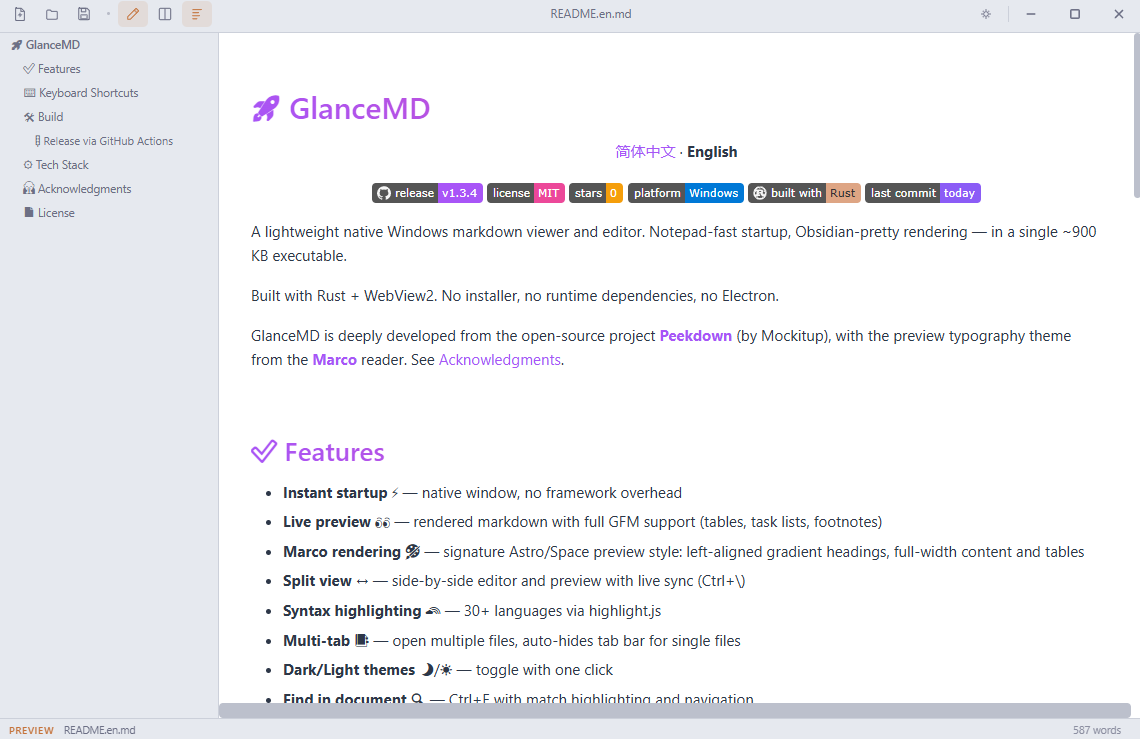
GlanceMD light theme window with gradient headings, full-width layout, and outline sidebar
Marco typography · Light themeReal app window — gradient headings, full-width content, outline sidebar
MermaidDiagrams rendered offline, theme-aware
0Electron or Node runtime bundled
30+Languages with syntax highlighting
3Desktop platforms with native packages

Why GlanceMD

Light Where It Matters, Beautiful Where It Counts

Markdown tools usually make you choose: tiny viewers that render poorly, or gorgeous editors that take a minute to launch. GlanceMD refuses the trade-off.

⚡

Truly Lightweight

Rust plus the webview your OS already ships. No Electron, no Node, no bundler — just a compact native executable with every asset embedded.

🎨

Elegant by Default

The Marco typography theme comes built in: gradient headings, full-width content, zebra tables, and a comfortable reading measure. Beautiful out of the box.

🚀

Starts Instantly

A native window powered by WebView2, WebKit, or WebKitGTK opens as fast as Notepad and stays light on memory, file after file.

🛠️

Open & Free

MIT-licensed and developed in the open on GitHub. Inspect it, fork it, shape the roadmap — no accounts, no telemetry, no paywalls.

Elegant Rendering

The Marco Typography, Built In

Gradient headings, full-width layouts, and a theme for every hour

GlanceMD ships with the preview style of the Marco reader: left-aligned purple-to-pink gradient headings, content and tables that span the whole window, zebra rows with hover highlights, and calm code blocks with language labels. One click switches the entire app between light and dark.

  • Purple → pink gradient headings on every section
  • Full-width content and zebra-striped tables
  • Code blocks with language tags, tuned for light & dark
  • One-click light / dark theme toggle
GlanceMD v1.7.0 · MIT
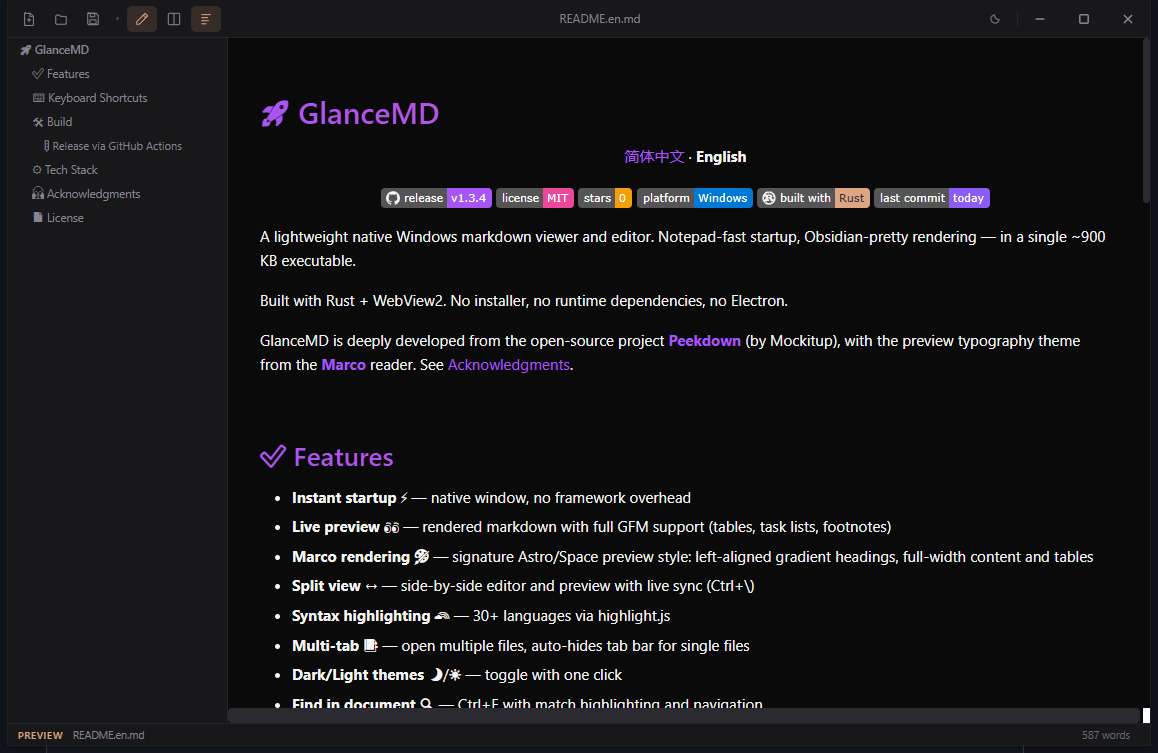
GlanceMD dark theme rendering a Markdown document with gradient headings and outline sidebar
Live Rendering

Live Preview with Full GFM Support

Tables, task lists, footnotes, and 30+ highlighted languages

Reading and editing stay in sync. GlanceMD renders GitHub-Flavored Markdown through marked.js — tables, task lists, footnotes, strikethrough — while highlight.js colors over 30 languages. Press Ctrl+\ for split view and watch the preview follow every keystroke.

  • Full GFM: tables, task lists, footnotes
  • Split view with live sync (Ctrl+\)
  • 30+ syntax-highlighted languages
  • Adjustable preview width — just drag the edge
GlanceMD v1.7.0 · MIT
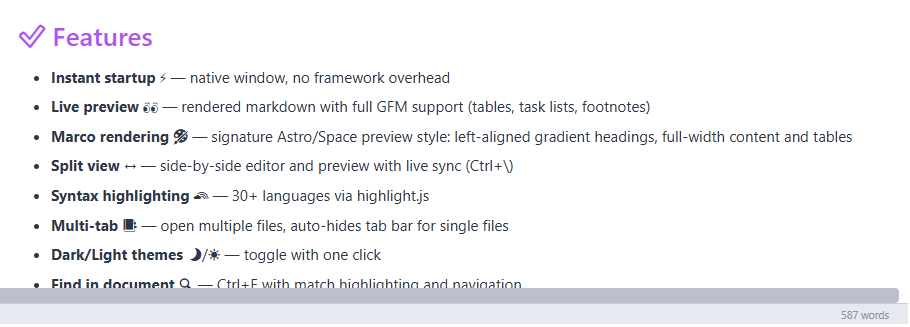
Close-up of GlanceMD rendering GFM lists, bold text, and inline icons with a gradient section heading
Diagram Engine

Mermaid Diagrams, Rendered Inline

Flowcharts, sequence diagrams, and more — straight from fenced code blocks

Wrap a diagram in a ```mermaid code block and GlanceMD draws it in place: flowcharts, sequence diagrams, gantt charts, and the rest of the Mermaid family. The engine is embedded, so diagrams render fully offline; colors follow the app theme; and invalid syntax shows a parse error without touching the rest of the document.

  • ```mermaid fences draw flowcharts, sequences, gantt & more
  • Embedded engine — diagrams render fully offline
  • Colors adapt to the light / dark theme
  • Invalid charts show a parse error, never a blank page
  • Copy the original Mermaid source from the chart corner
GlanceMD v1.7.0 · MIT
```mermaid
flowchart LR
  A[Markdown] --> B{Mermaid}
  B --> C[Diagram]
```
MarkdownMermaidDiagram
Renders offlineTheme-aware colorsOne-click source copy
Focused Workflow

A Keyboard-First Reading Workbench

Tabs, outline, find, and zoom — one shortcut away

Keep several documents open in tabs, jump through the auto-generated outline, find anything inside the document, and zoom to your eyes’ comfort. Drop any .md file onto the window to open it, and set GlanceMD as your system default Markdown viewer.

  • Multi-tab with an auto-hiding tab bar
  • Auto outline sidebar (Ctrl+Shift+O)
  • Find in document with match navigation (Ctrl+F)
  • Instant image preview: PNG, SVG, GIF, WebP and more
  • Drag & drop files, recent-files panel, file association
GlanceMD v1.7.0 · MIT
Toggle edit / previewCtrlE
Toggle split viewCtrl\
Find in documentCtrlF
Outline sidebarCtrlShiftO
New tabCtrlN
Close tabCtrlW
Next tabCtrlTab
Zoom inCtrl=
Native Core

Rust Core, System WebView, Zero Bloat

Every frontend asset compiled into one native binary

Windowing and file I/O run in Rust through tao + wry, and rendering is handled by the webview your OS already ships — WebView2 on Windows, WebKit on macOS, WebKitGTK on Linux. HTML, CSS, and JavaScript are embedded at compile time via include_str!. Based on the open-source Peekdown project, with the Marco theme.

  • tao + wry: windowing and IPC in pure Rust
  • System webview — nothing heavy bundled
  • Assets embedded at compile time (include_str!)
  • Built on open-source Peekdown · Marco theme
GlanceMD v1.7.0 · MIT
Your Markdown.md files on your disk
Embedded UImarked.js + highlight.js, compiled in
System WebViewWebView2 / WebKit / WebKitGTK
Rust Coretao + wry — windows, files, IPC
Never bundledElectronNode.jsBundler

Get GlanceMD

One Click, One File, Ready to Run

Grab the latest release straight from GitHub — Windows ships as a single portable executable, while macOS and Linux use native packages. All downloads below come from the latest release.

Windows 10/11 · x64Portable — no install neededGlanceMD-windows-x64.exe≈ 4.2 MBDownload (opens in a new window)
macOS · Apple SiliconUnsigned DMGGlanceMD-macos-arm64-unsigned.dmg≈ 1.7 MBDownload (opens in a new window)
macOS · IntelUnsigned DMGGlanceMD-macos-x64-unsigned.dmg≈ 1.7 MBDownload (opens in a new window)
Linux · Debian / Ubuntuamd64 .deb packageGlanceMD_1.7.0_amd64.deb≈ 2.7 MBDownload (opens in a new window)
Linux · AppImageSelf-contained runtimeGlanceMD_1.7.0_x86_64.AppImage≈ 74 MBDownload (opens in a new window)

macOS packages are not yet signed or notarized. On first launch, allow the app under System Settings → Privacy & Security.

Browse all releases & checksums (opens in a new window)

Start Reading Markdown Beautifully

Feather-light. Elegant. Free.

Download the latest release, set GlanceMD as your default .md viewer, and give every Markdown file the reading experience it deserves.

Free & open source · MIT · Windows / macOS / Linux