✨ Free & Open Source Workspace Editor

A whole Markdown workspace, still feather-light.

Project tree · Built-in translation · Custom shortcuts · Zero Electron

GlanceMD Ultra grows GlanceMD into a full local workspace: a project tree with real file operations, built-in LexiLayer translation, fully rebindable shortcuts, project-wide search, and crash-safe file watching — all in one native executable with zero dependencies.

Windows · macOS · LinuxBuilt-in LexiLayer translationRebindable shortcutsMIT · Free & open source
GlanceMD Ultra
GlanceMD Ultra split view with bilingual translation, project tree, tabs, and the LexiLayer popup
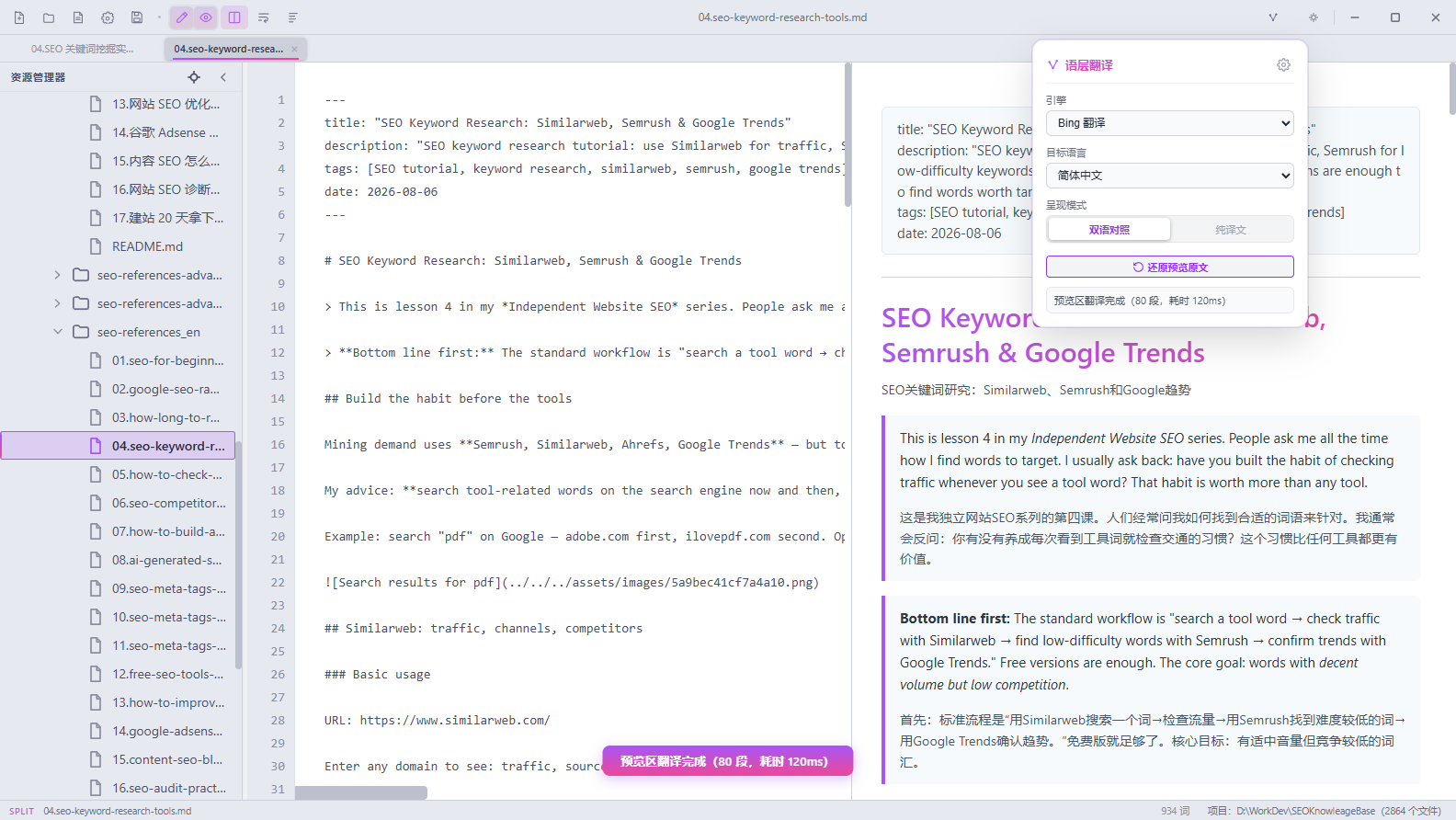
Split view · Bilingual translationReal app window — project tree, tabs, and LexiLayer at work
2–8 MBSingle-file executable, zero dependencies
3Translation engines built in
100%Shortcuts rebindable with conflict detection
2UI languages with one-click switch

Why Ultra

More Workspace, Same Featherweight

Ultra keeps everything that made GlanceMD fast and elegant, then adds the pieces a single-file viewer could not hold: a workspace, translation, and shortcuts that bend to you.

🌲

A Real Workspace

Open any folder as a project: lazy-loading tree, create / rename / move / copy / delete with undo, reveal in file manager, open in terminal.

🈯

Translation Built In

LexiLayer lives inside: bilingual or translation-only preview, selection translate with write-back, Google / Bing / OpenAI-compatible engines.

⌨️

Shortcuts That Fit You

Rebind every command with conflict detection, start from Eclipse or VS Code schemes, and search them all in the Key Assist overlay.

🛡️

Safe & Still Light

File watching with external-change protection, atomic saves, and crash-recovery snapshots — inside a 2–8 MB native binary.

Workspace

Open a Folder, Get a Workspace

A project tree with real file operations

Point Ultra at any folder and it becomes a project: a lazy-loading tree that stays instant on thousands of files, with create, rename, move, copy, and delete — undo included. Reveal files in the file manager, open a terminal right where you are, and search the whole project from a dedicated full-text panel.

  • Lazy-loading project tree, instant even on big folders
  • Create / rename / move / copy / delete with undo
  • Reveal in file manager · open in terminal
  • Project-wide full-text search panel
  • File watching: external-change protection & atomic saves
GlanceMD Ultra v0.6.1 · MIT
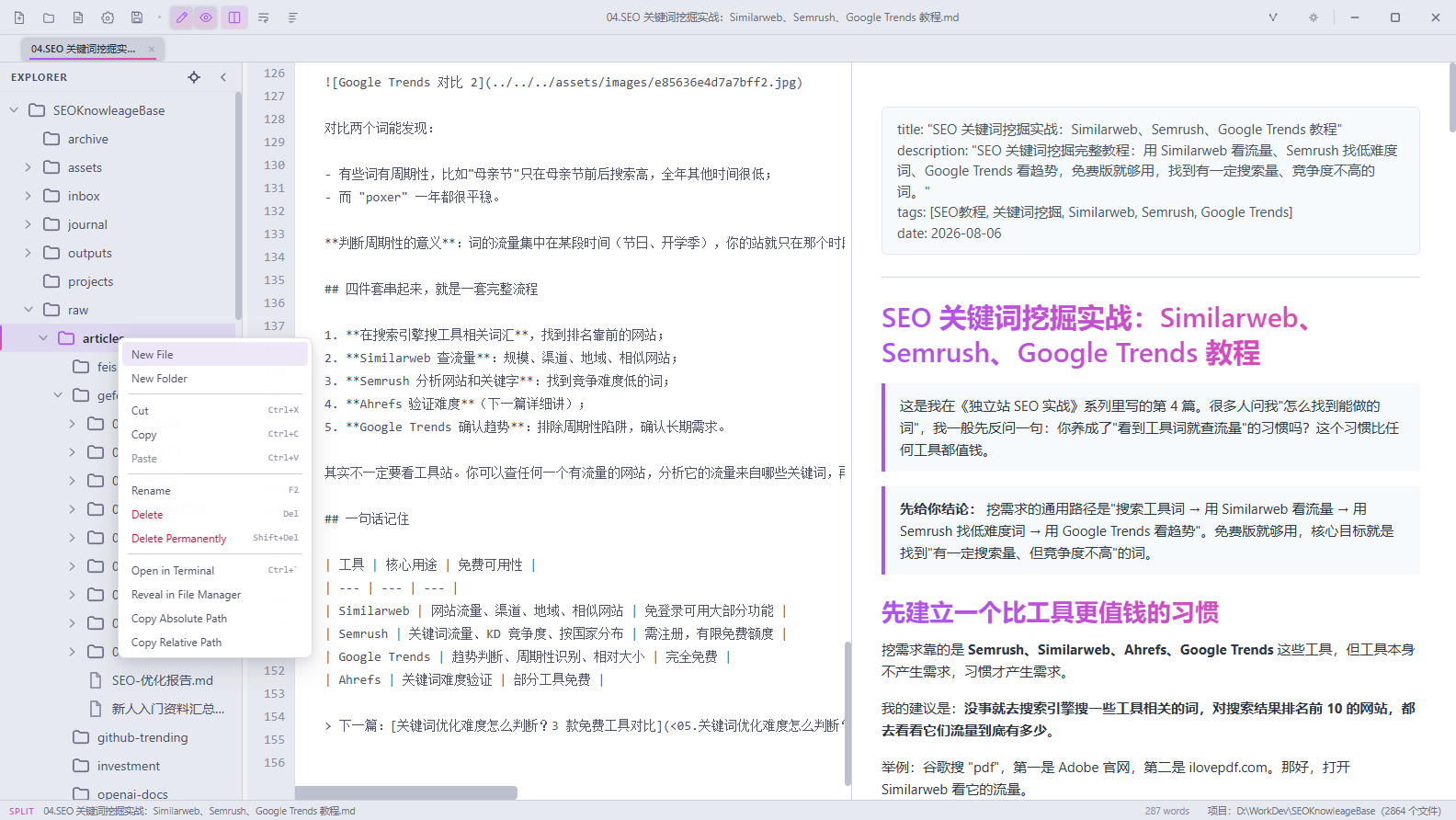
GlanceMD Ultra project tree with the context menu showing full file operations
Built-in Translation

LexiLayer Translation, Built In

Translate the whole preview or just a selection

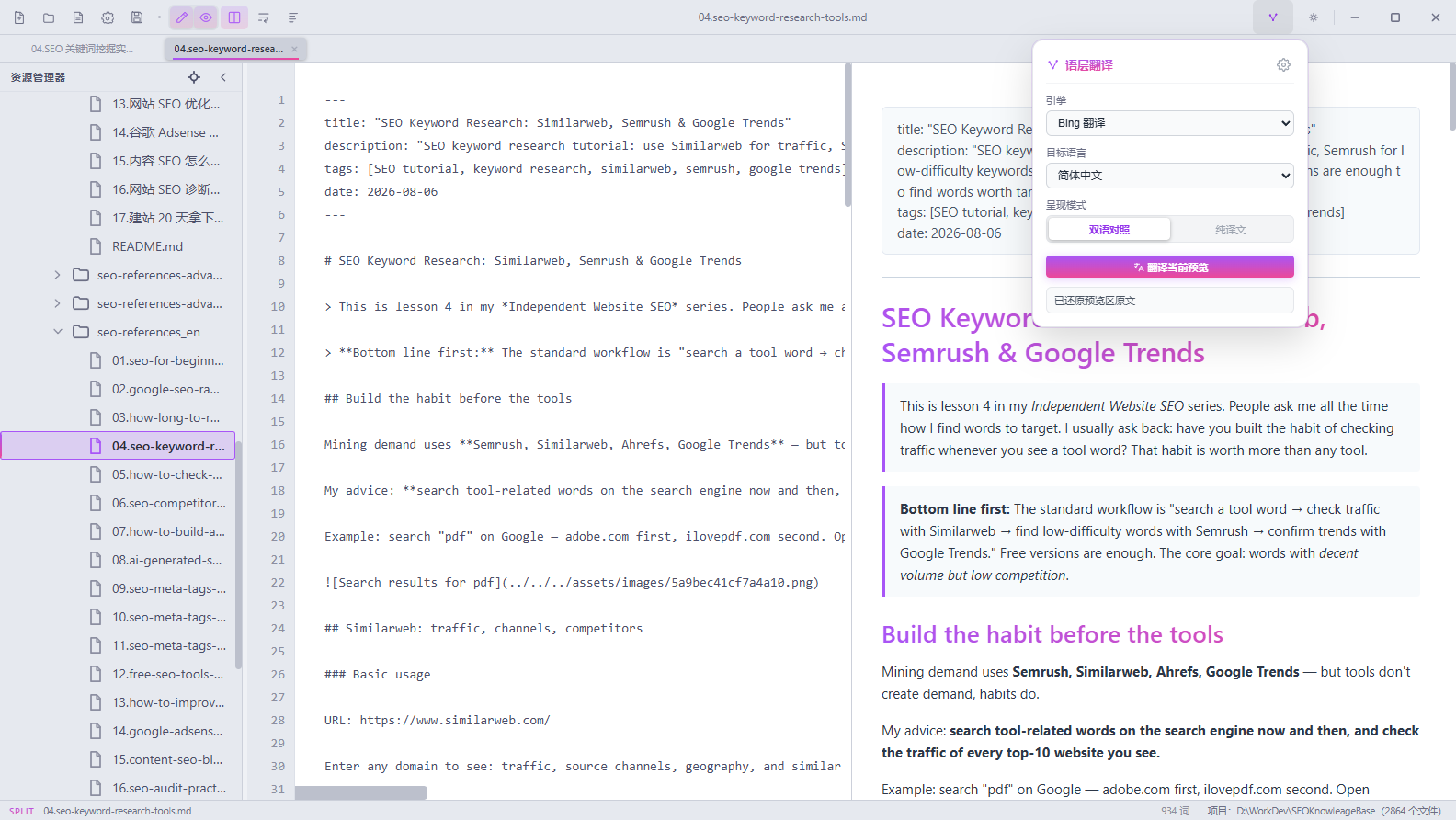
The LexiLayer engine ships inside Ultra. Turn the preview into a bilingual side-by-side reading view or a translation-only layout, pick your engine per task — Google, Bing, or any OpenAI-compatible endpoint — and watch progress in a status toast that keeps every translation visible.

  • Bilingual side-by-side or translation-only preview layouts
  • Engines: Google, Bing, or OpenAI-compatible endpoints
  • Engine, target language, and layout in one popup
  • Original text is one click away — restore anytime
  • Progress toast with segment count and timing
GlanceMD Ultra v0.6.1 · MIT
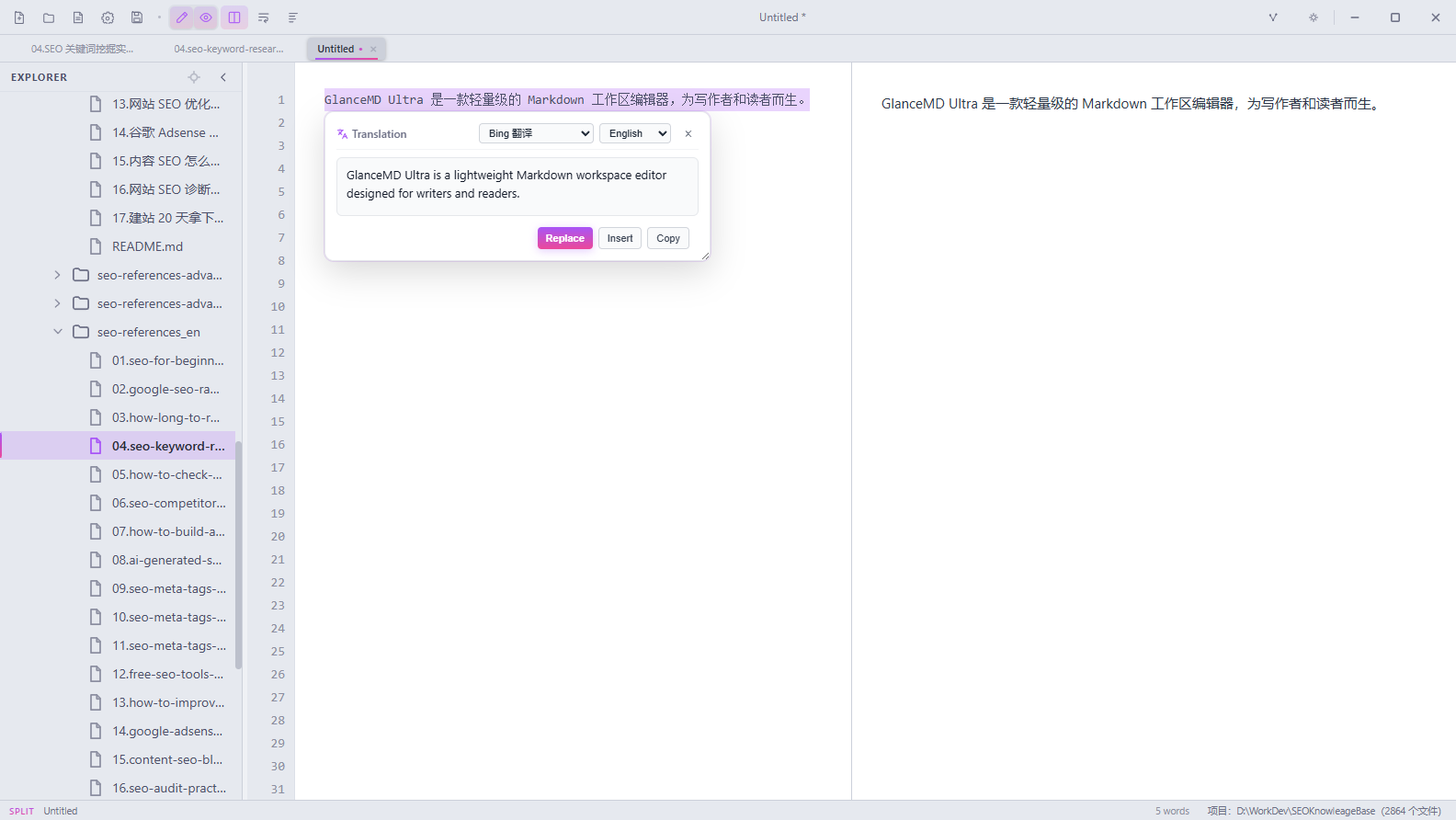
GlanceMD Ultra translation popup with engine, target language, and layout options
Write in Two Languages

Translate a Selection, Write It Back

From a highlighted sentence to replaced text in one keystroke

Select any sentence in the editor and Alt+Shift+X swaps it for the translation. The bubble offers Replace, Insert, or Copy, so you can draft in one language and localize as you go — perfect for bilingual notes, documentation, and study material.

  • Alt+T translates the selection into a bubble
  • Alt+Shift+X replaces the selection in place
  • Choose Replace, Insert, or Copy per snippet
  • Target language and engine switchable on the fly
  • Global hotkeys keep working when the popup is closed
GlanceMD Ultra v0.6.1 · MIT
GlanceMD Ultra selection translation bubble with Replace, Insert, and Copy actions
Keybindings

Shortcuts That Fit Your Hands

Rebind everything, with conflict detection

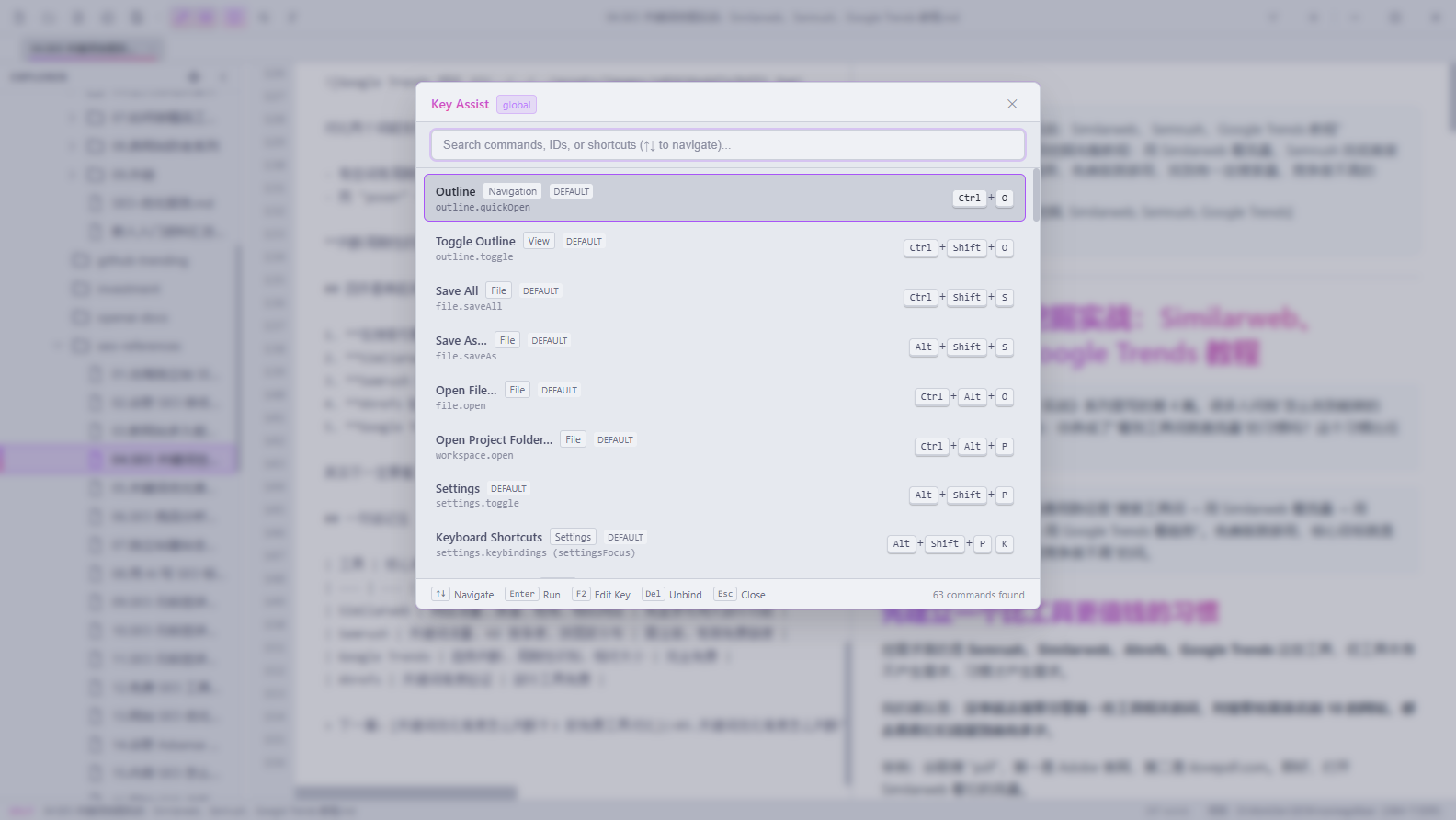
Every command is rebindable under Settings → Shortcuts, with live conflict detection. Start from the built-in Eclipse or VS Code schemes, and when a key slips your mind, Ctrl+Shift+L opens Key Assist — a searchable overlay listing every command and its binding.

  • Every command rebindable with live conflict detection
  • Eclipse & VS Code keymap schemes out of the box
  • Key Assist overlay (Ctrl+Shift+L) lists all commands
  • Search commands, IDs, or shortcuts from one field
  • Translation hotkeys work globally, popup or not
GlanceMD Ultra v0.6.1 · MIT
GlanceMD Ultra Key Assist overlay searching every command and shortcut
Navigate Fast

Outline & Search, Everywhere

Fuzzy-jump through headings, full-text across the project

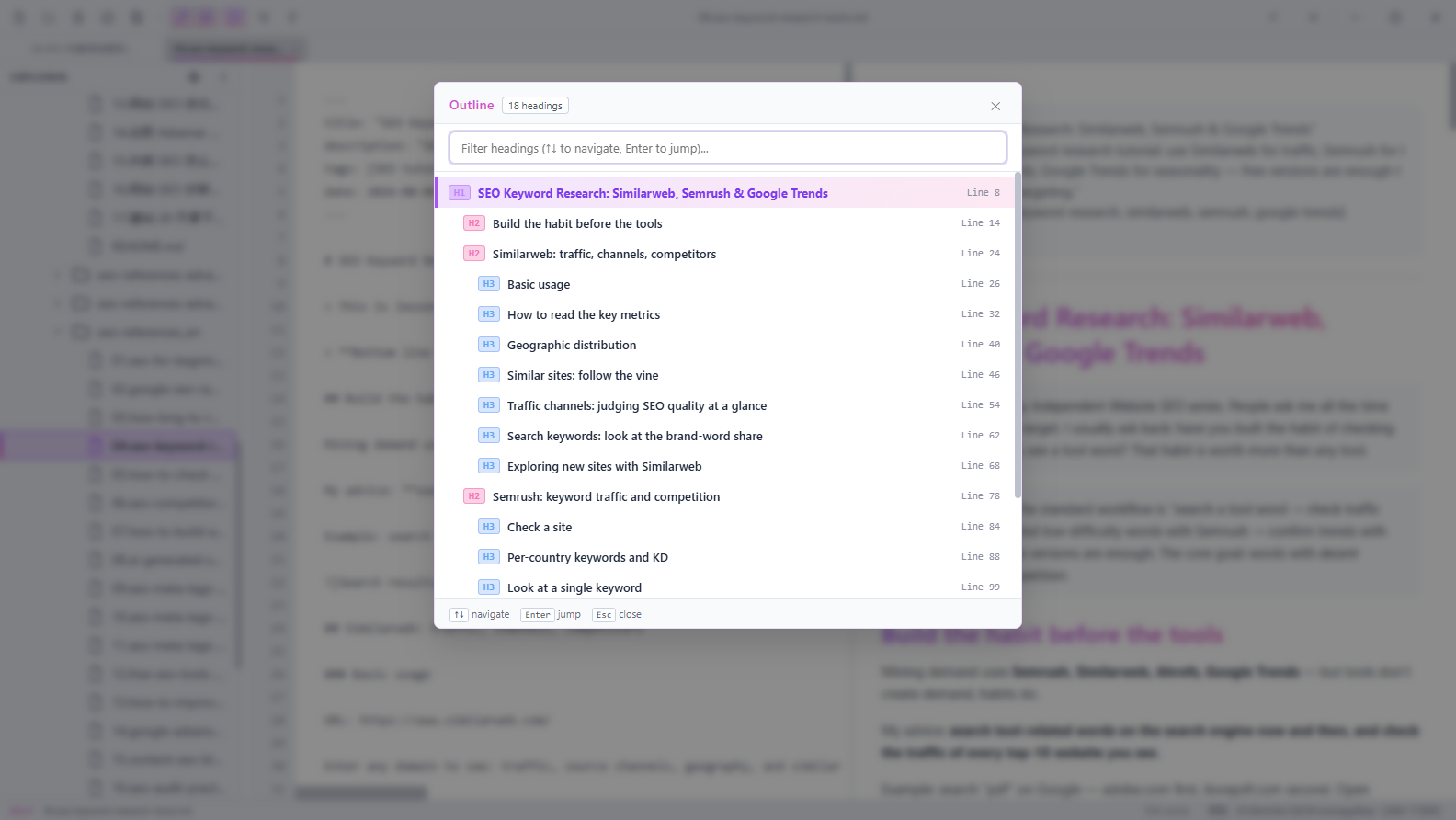
Ctrl+O opens the quick outline: a fuzzy filter over every heading that jumps straight to the line. Keep the outline panel docked for structure at a glance, and when a keyword hides somewhere in the workspace, the project search panel finds it across every file.

  • Quick outline fuzzy jump (Ctrl+O)
  • Dockable outline panel (Ctrl+Shift+O)
  • Heading-level chips with target line numbers
  • Project-wide full-text search in a dedicated panel
GlanceMD Ultra v0.6.1 · MIT
GlanceMD Ultra quick outline overlay with fuzzy heading filtering
Native Core

Native Core, Zero Bloat

A single executable that opens workspaces like code .

The same native recipe as GlanceMD: Rust (tao + wry) for windowing and file I/O, the OS webview for rendering, and every frontend asset embedded at compile time. The result is a single 2–8 MB executable — no Electron, no Node, no bundler — with a gmdu CLI that opens any folder from the terminal, like code .

  • Single 2–8 MB executable, zero dependencies
  • gmdu . opens any folder from your terminal
  • Bilingual UI: 简体中文 / English one-click switch
  • Optional Vim mode with a command line
  • Crash-recovery snapshots & atomic saves
GlanceMD Ultra v0.6.1 · MIT
Your Workspacelocal folders & .md files
Embedded UImarked.js + highlight.js + LexiLayer, compiled in
System WebViewWebView2 / WebKit / WebKitGTK
Rust Coretao + wry — windows, files, IPC
Never bundledElectronNode.jsBundler

Get GlanceMD Ultra

One Click, One File, Ready to Run

Grab the latest release straight from GitHub — Windows ships as a single portable executable, while macOS and Linux use native packages. All downloads below come from the latest release.

Windows 10/11 · x64Portable — no install neededGlanceMD-Ultra-windows-x64.exe≈ 6.8 MBDownload (opens in a new window)
macOS · Apple SiliconUnsigned DMGGlanceMD-Ultra-macos-arm64-unsigned.dmg≈ 3.1 MBDownload (opens in a new window)
macOS · IntelUnsigned DMGGlanceMD-Ultra-macos-x64-unsigned.dmg≈ 3.1 MBDownload (opens in a new window)
Linux · Debian / Ubuntuamd64 .deb packageGlanceMD-Ultra_0.6.1_amd64.deb≈ 3.4 MBDownload (opens in a new window)
Linux · AppImageSelf-contained runtimeGlanceMD-Ultra_0.6.1_x86_64.AppImage≈ 76 MBDownload (opens in a new window)

macOS packages are not yet signed or notarized. On first launch, right-click → Open, or allow the app under System Settings → Privacy & Security.

Browse all releases & checksums (opens in a new window)

Start Working in One Workspace

A whole workspace. Still feather-light.

Download the latest release, open your notes folder with gmdu ., and let translation, outlines, and shortcuts meet you at every keystroke.

Free & open source · MIT · Windows / macOS / Linux